Checkers Online
- 4.6
- Rating
- 100.00M
- Installs
- Free
- Price

 Analysis by App-foxy
I keep coming back to checkers because it asks for concentration without demanding a long explanation or a large time commitment. Checkers Online turns that familiar board game into a convenient Android experience, with online play, offline matches, tournaments, and games against friends sharing the same device. After spending time with it, I see it as a practical choice for anyone who wants checkers ready for a short break, a quiet evening, or a quick match when there is no internet connection.
The important question is not whether the game of checkers is enjoyable; most people already know whether they like it. The real decision is which digital version suits the way you play. Do you want competition with other players, a board for offline practice, a simple pass-and-play option, or a more polished alternative with fewer distractions? This game covers several of those needs at once, but it is not automatically the best fit for every player.
What to consider before choosing a checkers app
I would begin with your usual playing situation. If you mostly play alone, the quality of the offline experience matters more than the online label. If you play with a partner, local multiplayer and quick access to a new match are more useful than a large competitive community. If you are looking for a serious tournament environment, you will care about how much structure and variety the app provides rather than simply whether a board appears on screen.
You May Also Like

 AccuWeather: Weather Radar
AccuWeather Review: A Quick, Clear Forecast for Everyday Decisions
For everyday plans, the best forecast is the one you can understand quickly. AccuWeather makes rain timing, radar, and local conditions easy to act on, with a few trade-offs.

 Hill Climb Racing
Why Hill Climb Racing Still Turns Crashes Into One More Run
A tiny car, a bumpy hill and one more upgrade: Hill Climb Racing keeps resurfacing because its simple chaos makes every near-miss feel personal.

 AliExpress - Shopping App
AliExpress Makes Global Shopping Feel Personal, but Shoppers Bear the Risk
AliExpress turns a global marketplace into a pocket-sized discovery engine. Its reach is useful, its shopping loop compelling, and its trade-offs easy to miss.

 Lords Mobile: Kingdom Wars
Lords Mobile Is a Kingdom-Building Routine, Not a Quick Match
A case-by-case verdict on the building, battles, device demands, and social commitments that make Lords Mobile rewarding for some players and exhausting for others.

 PDF Scanner app - TapScanner
TapScanner Makes Paperwork Easier to Capture, Check, and Share
TapScanner makes scanning with a phone feel less like a rescue operation and more like a dependable step in getting work done. Its capture tools are useful, though not flawless.

 Block Blast!
 Shows How Much a Puzzle Game Can Leave Out
A quiet grid game shows why puzzle players increasingly value instant clarity, repeatable skill and low-pressure play—and where the genre still needs to catch up.
More From Our News Desk
View All News


This is a board game from CC Games, and its appeal comes from keeping the central activity recognizable. You do not need to learn a new interface concept or understand a complicated progression system before making your first move. That makes it approachable for a casual player, a family member who rarely plays mobile games, or someone returning to checkers after years away from a physical board.
The game is free to download, which makes trying it low-risk. It carries an Everyone age rating, so it is suitable for a broad audience in the ordinary sense of the game itself. Optional purchases range from $0.99 to $49.99 per item, so I would still recommend checking the purchase flow carefully if children use the device or if you prefer a completely controlled spending environment.
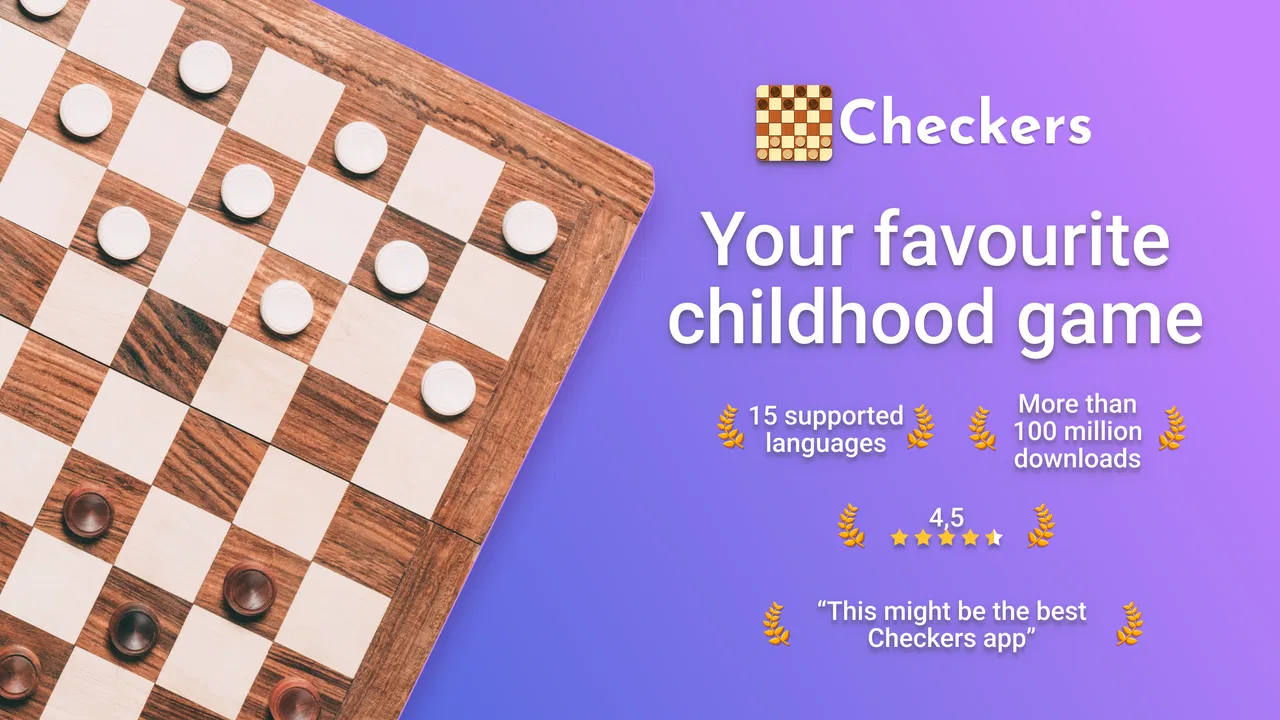
Its public reception is strong: it holds a 4.6 average from around 1.5 million ratings, with roughly 15 thousand written reviews and more than 100 million installs. Those figures do not prove that every player will enjoy it, but they do suggest that the app has reached well beyond a small niche. In practical terms, you are choosing an established checkers title rather than an obscure experiment.
The app first appeared on January 5, 2015, and the current version is 3.17.0. It supports devices running Android 7.0 or later. That combination matters when deciding whether to install it on an older phone: the operating-system requirement is not aimed at the newest hardware only, but an aging device can still affect how comfortable the board feels, especially if you switch frequently between games and other apps.
Why the offline option changes the value
The strongest reason I would recommend this particular game is the ability to play offline with friends. Many mobile board games emphasize online matchmaking and treat local play as an afterthought, while this one presents a more flexible use case. You can use it during a trip, in a waiting room, or at home with someone sitting beside you without making the match depend on a connection.
That offline mode is also useful as a test of whether the app belongs on your phone. Before worrying about online opponents or tournaments, I can open a local game and see whether the board size, controls, and move flow feel natural. If the basic interaction is comfortable, the rest of the app becomes easier to evaluate. If moving pieces feels awkward, no amount of online activity will completely solve that problem.
For a realistic everyday example, imagine two people waiting for a delayed appointment. One phone is available, the internet is unreliable, and neither person wants to install a large action game or learn a new ruleset. A quick local checkers match gives them something focused to do, and the game can be closed as soon as their turn is over. That is a modest use case, but it is exactly where a traditional board game app earns its place.
Online play is useful, but it should not be your only reason to install
The “Online” identity makes sense for players who want matches beyond the people in the same room. Online play can give a familiar game more life because you are not limited to finding a willing opponent at home. Tournaments add another reason to return, especially if you enjoy a more goal-oriented format than starting isolated casual matches.
My advice is to treat online competition as an extra layer rather than the entire product. A connection-dependent game can become frustrating when your schedule, signal, or opponent availability does not cooperate. The offline feature protects the app from that problem. Even when online play is not convenient, the installation still has a clear purpose as a self-contained board for local games.
There is also a useful psychological difference between playing a person beside you and playing online. Local games are easier to pause for conversation and tend to feel more social in a direct way. Online games are better when you want an opponent at a time when nobody nearby is interested. Choosing between them depends less on which mode is “better” and more on whether you want shared physical space or remote competition.
Small habits that make the game more enjoyable
One practical habit is to use offline matches as warm-ups instead of treating them only as a fallback. A short game lets me settle into the board and notice whether I am moving too quickly. That is particularly helpful before entering a tournament or online session, where a careless opening move can make the rest of the match feel like recovery rather than play.
A second useful approach is to decide what kind of session you want before opening the app. For a five-minute break, a local game is easier to control than a competitive match that may require more attention. For a longer session, online play or a tournament can provide a stronger sense of occasion. This simple separation prevents the common disappointment of starting a serious match when you only have a moment available.
I also recommend using the board as a teaching tool with a less experienced player. Instead of explaining every rule in the abstract, you can demonstrate captures and king-making during a real match. Because the game is familiar and the age rating is Everyone, it works well for introducing the basics to younger players or relatives who are more comfortable learning by doing.
There is a trade-off here: convenience can make a match feel less memorable than playing with a physical set. A real board gives players a shared object, a slower rhythm, and a clearer sense of place. The app wins when portability and immediate access matter, not when you are trying to recreate every social detail of a tabletop afternoon.
How it compares with the usual alternatives
The closest alternative is a physical checkers set. That option remains better for family gatherings, classrooms, and players who enjoy touching the pieces and seeing the entire board without a screen. It also avoids battery concerns and in-app purchase prompts. Checkers Online is more convenient when a board is not available, when you want to play alone, or when you want remote competition.
Another alternative is a highly specialized online board-game platform. Such services may appeal more to players who want a broad competitive ecosystem, detailed records, or a wider selection of variants. I would look in that direction if checkers is only one part of a larger online gaming routine. The advantage of this app is focus: you open it for checkers rather than navigating a catalogue of unrelated games.
There are also minimalist checkers apps that concentrate almost entirely on a clean offline board. Those can be preferable if you dislike tournaments, online features, or anything that makes a simple game feel busier. In contrast, this title is a better match when you want the choice between playing locally, competing online, and entering tournaments without installing separate apps.
That comparison gives me a clear decision rule. Choose this game when flexibility is more important than absolute minimalism. Choose a physical set when the social ritual matters most. Choose a broader platform when you want many board games and a deeper competitive identity. Choose a stripped-down offline app when you want the fewest possible distractions.
What may frustrate some players
The free price is attractive, but optional purchases mean the experience is not identical to a completely purchase-free utility. I would not assume that every player will want to spend money, and I would review the on-screen purchase choices before handing the phone to a child. For adults who are comfortable ignoring optional items, the basic cost barrier remains low; for families managing strict device spending, that extra attention is worthwhile.
Online competition can also be the wrong fit for someone who wants a calm, uninterrupted game. A tournament structure may add motivation, but it can make the experience feel more demanding than a casual board on the kitchen table. If you dislike competitive pressure, the offline mode is likely to be the more satisfying part of the app, and you should judge it on that basis rather than forcing yourself into online play.
Players seeking advanced analysis may also want something more specialized. This is a convenient checkers game, not a replacement for studying with a physical board, a coach, or a dedicated analysis environment. I would not install it expecting a full training curriculum or a detailed explanation of every strategic mistake. Its strength is letting you play, not turning every move into a lesson.
There is a similar limitation for people who want a large collection of board games. Installing this title gives you a focused checkers experience, not a general board-game library. That focus is welcome when checkers is the game you actually want, but it may feel narrow if you are looking for chess, backgammon, card games, and other options in one place.
Switching from another checkers option
The cost of switching is relatively small if your current app is only used for occasional matches. You can keep your existing routine, install this one, and compare the board handling through a few offline games before deciding. That is the safest way to judge it because the most important differences are practical: how quickly you reach a match, whether local play feels comfortable, and whether online or tournament options add value for you.
If you currently use a physical set, the adjustment is mostly about screen habits. You may need to pay closer attention to the selected piece and the visible move path, especially during a quick game. I find it helpful to slow down during the first few matches rather than assuming that digital convenience should also mean faster play. The app is easier to carry, but it does not make thoughtful positioning less important.
If you are moving from a minimalist offline app, the main change is having more ways to play. That can be a benefit or a distraction. I would keep the app if you occasionally want online opponents or tournaments, and I would stay with the simpler alternative if those modes never interest you. There is no advantage in changing merely because a title has more options than you plan to use.
For someone moving from a broad board-game platform, the switch makes sense when checkers is the feature you use most. A dedicated app can reduce the steps between opening the phone and placing the first piece. The trade-off is losing the convenience of several different games in the same installation, so the decision depends on whether variety or immediacy matters more.
Who should install it
I think this is a strong choice for casual players who want a familiar board game with several ways to play. It suits people who alternate between solo time, local matches with friends, and online competition. Families may appreciate the Everyone rating and the simple premise, while travelers can make good use of offline games when a connection is unavailable.
It is especially useful for players who do not want to commit to a large gaming routine. You can approach it as a short break rather than a permanent hobby. At the same time, tournaments give more dedicated players a reason to keep returning, so the app can grow with your interest better than an offline-only board may.
I would skip it if you want a completely physical experience, a broad collection of board games, or deep instructional analysis. I would also look elsewhere if optional purchases are a deal-breaker in any form, even though the game itself is free to download. Those are not flaws for everyone, but they are clear reasons this particular choice may not suit your priorities.
My recommendation is to install it when you want one checkers app that covers both connected and disconnected play. Start with an offline match, use that session to judge the controls, and then decide whether online games or tournaments add something you will actually use. That workflow avoids being swayed by the feature list alone and puts the decision where it belongs: in the way the board feels during your own short, ordinary games.
Overall, Checkers Online earns my recommendation as a flexible, approachable board game rather than as a specialist training tool. CC Games has built a title with broad reach, a free entry point, local play, online competition, and tournament options. Its limitations are mostly about preference: some players will want fewer extras, deeper analysis, or a physical board. For everyone else, it is a convenient way to keep checkers close at hand without giving up the option of playing with someone sitting next to you.
FAQs for Checkers Online
01Is Checkers Online free to download and play?
Yes, Checkers Online is free to download and play on both Android and iOS devices. The app may include optional in-app purchases or ads to enhance your experience, such as unlocking premium features or ad-free gameplay. However, the core game remains accessible to all users without any cost.
02Does Checkers Online require an internet connection?
While Checkers Online offers multiplayer modes that require an internet connection, you can also enjoy offline play against AI opponents. This flexibility allows users to enjoy the game anytime, whether they're on the go without data or connected to Wi-Fi for online matches.
03Can I play with friends on Checkers Online?
Absolutely! Checkers Online features a multiplayer mode where you can invite friends to join a game or match with random players from around the world. You can connect with friends through social media accounts or share invite codes to challenge each other in a strategic game of checkers.
04Is Checkers Online suitable for children?
Checkers Online is suitable for players of all ages, including children. The game promotes critical thinking and strategic planning, making it an excellent educational tool. However, parental supervision is recommended for online interactions, as the app may include chat features for multiplayer games.
05What are the customization options available in Checkers Online?
Checkers Online offers various customization options to enhance your gaming experience. You can choose from different board designs and checker pieces, adjust difficulty levels for AI opponents, and customize your profile with unique avatars. These options allow players to personalize their gameplay according to their preferences.
Pros
- Simple and intuitive interface.
- Multiplayer mode is seamless.
- Quick matchmaking process.
- Customizable board themes.
- Lightweight app with fast performance.
Cons
- Occasional ads can be distracting.
- Limited offline play options.
- No chat feature in multiplayer.
- Needs more advanced tutorials.
- Lacks in-game achievements.

Checkers Online
Gallery